MCP server
Claude, Microsoft Copilot, ChatGPT, Cursor, Hermes or your own agent: connect Immotron through the Model Context Protocol. One API token, a standard protocol, prepaid credit – no integration project.
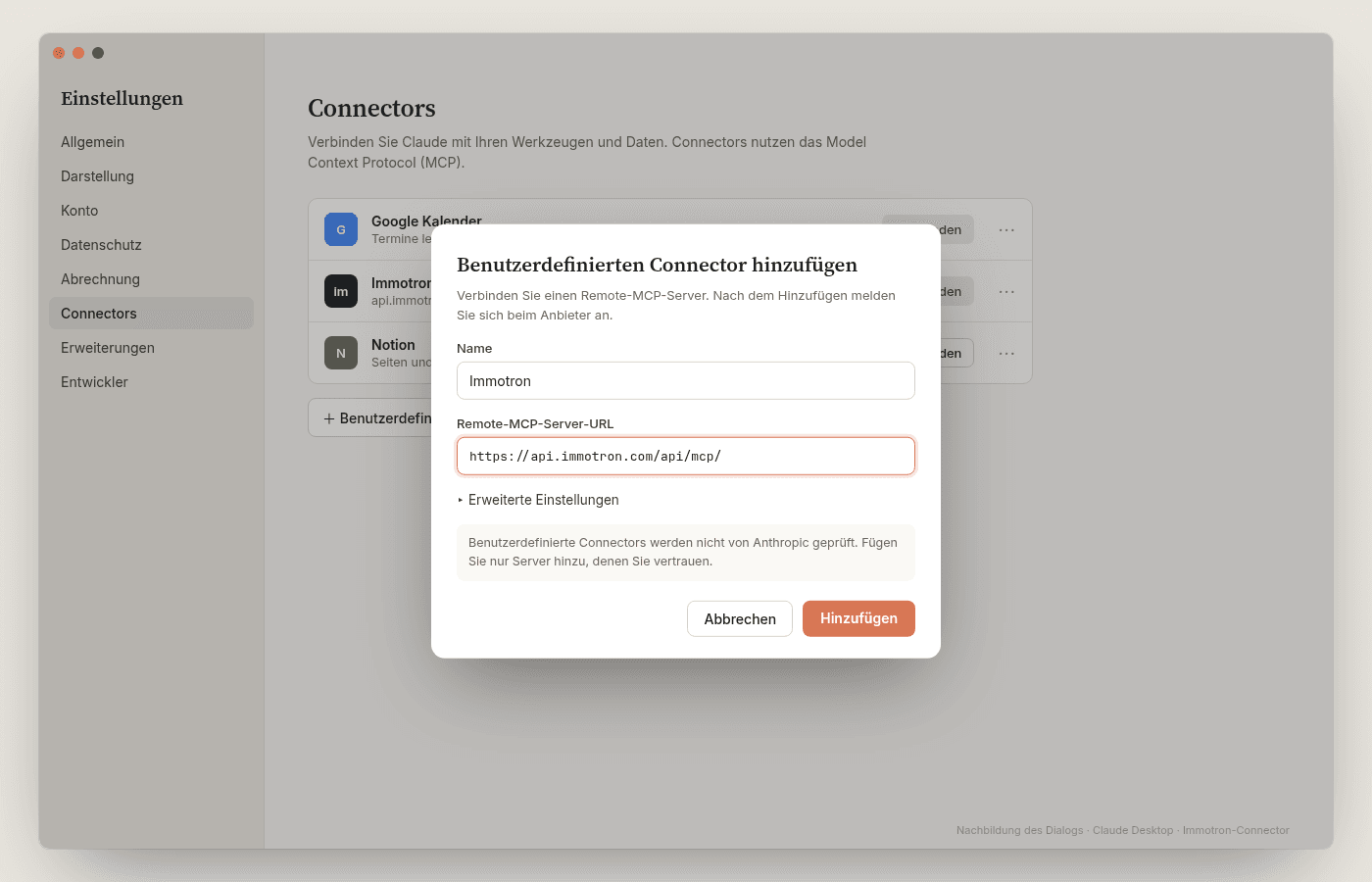
The Immotron MCP server speaks Streamable HTTP as per the MCP specification, with your API token in the Authorization header. Every major assistant and agent framework understands that.
- ready
Claude
Claude Code, Claude Desktop, Claude.ai (connectors on Team and Enterprise)
- ready
Microsoft Copilot Studio
Agent → Tools → MCP; transport Streamable, API key in the Authorization header
- ready
GitHub Copilot
VS Code, Visual Studio, JetBrains – mcp.json with type http and headers
- plan-dependent
ChatGPT
Developer mode, custom connector. Bearer token depending on plan and release; OAuth connector to follow
- ready
Cursor · Windsurf
mcp.json with url and headers
- ready
Hermes Agent
Nous Research – config.yaml with url and headers, Streamable HTTP
- ready
Gemini CLI
settings.json, httpUrl with headers
- ready
OpenAI Agents SDK · LangChain · n8n
MCP client building blocks for your own agents and workflows
- ready
Your own client
Any language: JSON-RPC over HTTPS, POST to one URL
Rule of thumb: if your tool can talk to a remote MCP server (Streamable HTTP) with a custom Authorization header, Immotron works. OAuth for connector directories is in preparation.
The role of your token decides the tools: developer access sees the paid data tools, platform customers also their CRM and properties – 28 tools in total.
01 — Developer access
For your company's IT, Copilot Studio or Claude. No portal needed, billed from prepaid credit.
whoamiWho am I, which roleproperty_evaluateProperty evaluation: building register, zone, public transport, noise, solar, natural hazards, tax rate – for an address or EGRIDCHF 15analysis_sourcesSource catalogue of the property analysis with pricesproperty_analyzeOrder a property analysis: data room, sources, remarks, scopefrom CHF 30analysis_statusStatus, progress, report
02 — Platform customers
Tenants and their users: the same data as in the portal, within their role and tenant – at no extra cost.
contact_search · contact_getContacts of the tenantcompany_search · company_getCompanies and buyer organisationszefix_search · zefix_dedupCommercial register: search, check duplicatesproperty_list · property_getProperties and dossierssearch_criteria_get · _putBuyers' search profilesresearch_leads_list · _get · _updateResearch leads of the AIfund_list · fund_create · fund_updateInvestment vehicles and holdings
- 01
Account and token
Request developer access or log in as a platform customer. Create a token in your profile under «API tokens» – it starts with imm_ and is shown once.
- 02
Credit
Developer access: top up your company's credit by card, Twint or on invoice (from CHF 50). No credit, no paid call – nothing is charged.
- 03
Configure the client
Enter the URL https://api.immotron.com/api/mcp/ and «Authorization: Bearer imm_…» as a header. Done – your assistant sees the tools of your role.
For your IT: show configuration examples
One example per client. Replace the token, save, reload.
claude mcp add --transport http immotron https://api.immotron.com/api/mcp/ \
--header "Authorization: Bearer imm_…"Token instead of password
Personal API token, stored hashed, with expiry, revocable at any time.
Role decides the tools
A developer token never sees CRM data. Tenants only see their own tenant.
Credit before the call
The balance is checked before every paid call; if it is short, nothing happens.
Rate limit
60 calls per minute and token.
Log
Every call with tool, units, price and duration – visible in the portal.
Switzerland
Operated in Switzerland, HTTPS. Your assistant calls, our servers answer – we store no customer data in third-party AI accounts.
- Property evaluation (property_evaluate)per call, also for the same address
- CHF 15
- Short analysis (property_analyze)plus licensed sources
- CHF 30
- Full analysisplus licensed sources
- CHF 75
- Top up creditcard, Twint or on invoice
- from CHF 50
- Platform customersCRM and property tools within the tenant
- included
Indicative prices excl. VAT. No base fee, no subscription. Official data comes from geo.admin.ch, FSO and FOEN; licensed sources only in the property analysis.
- Model Context Protocol
- Open standard for AI tools
- Initiated by Anthropic, widely supported
- Your assistant calls our tools